Inventory Plugin: Installation
EnterpriseBacula Enterprise Only
This solution is only available for Bacula Enterprise. For subscription inquiries, please reach out to sales@baculasystems.com.
Prerequisites
The Plugin Directory directive of the File Daemon resource in /opt/bacula/etc/bacula-fd.conf
should point to the location where the azure-vm-fd.so plugin is installed.
The default directory is: /opt/bacula/plugins.
FileDaemon {
  Name = bacula-fd
  Plugin Directory = /opt/bacula/plugins
  ...
}
Plugin Installation
Note
See the List of Bacula Enterprise Plugins for plugin package names and information on where to install each plugin.
For more information about the plugin installation, see Linux: Install File Daemon (Client) and its Plugins.
Windows
The Bacula Enterprise inventory plugin is selectable as a component of the File Daemon Windows installer.
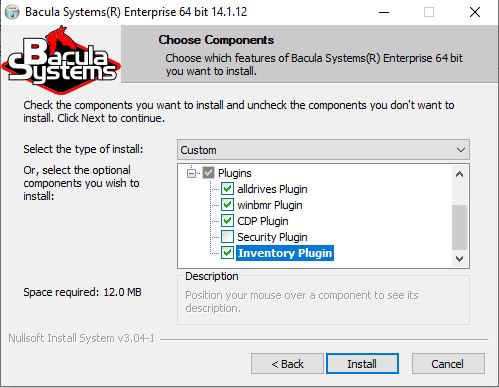
The inventory plugin in the File Daemon Windows installer
See also
Previous articles:
Next articles:
Go back to: Inventory Plugin.